
Synchronized Native Audio on MiniMax H3
Ambient soundscapes, foley details, weather, and room tone render in lockstep with pixel motion inside every image to video pass—eliminating awkward stock-sound matching.
Turn any product shot, architectural frame, or freshly generated GPT Image 2.6 still into an image to video clip up to 15 seconds in studio HD with synchronized native sound—using Luroa AI's unlimited MiniMax H3 engine without downloading or re-uploading.
Each pair below started as a 2K GPT Image 2.6 studio frame inside Luroa and went straight into MiniMax H3 (15 seconds, studio HD) via one-click Animate with Sound. Press play with sound on to hear how audio locks to motion.
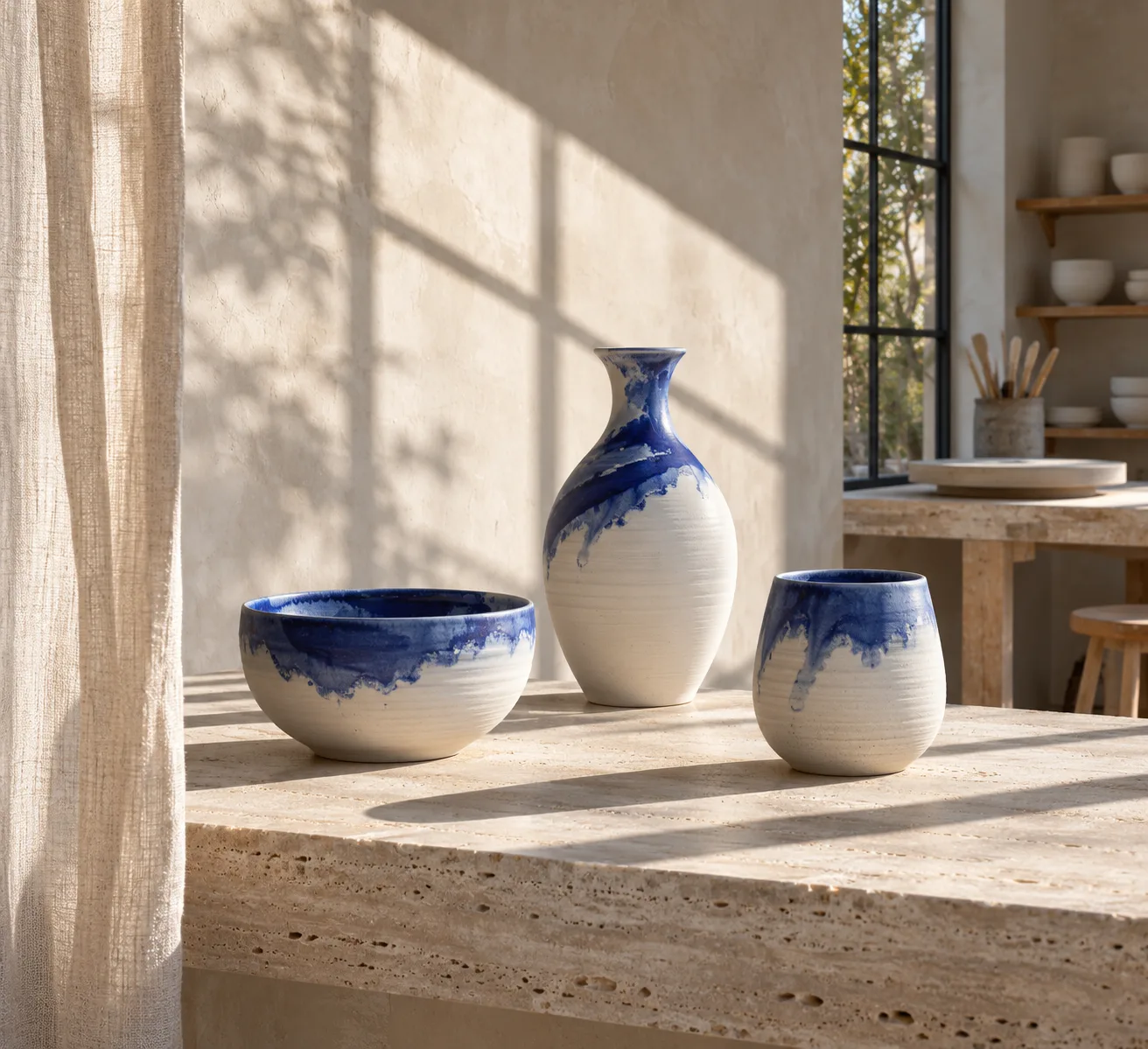
Starting from our sunlit travertine ceramic vessel photograph, this render preserves every ceramic glaze detail while animating the sheer linen curtain and adding calm studio room acoustics with faint distant birdsong.
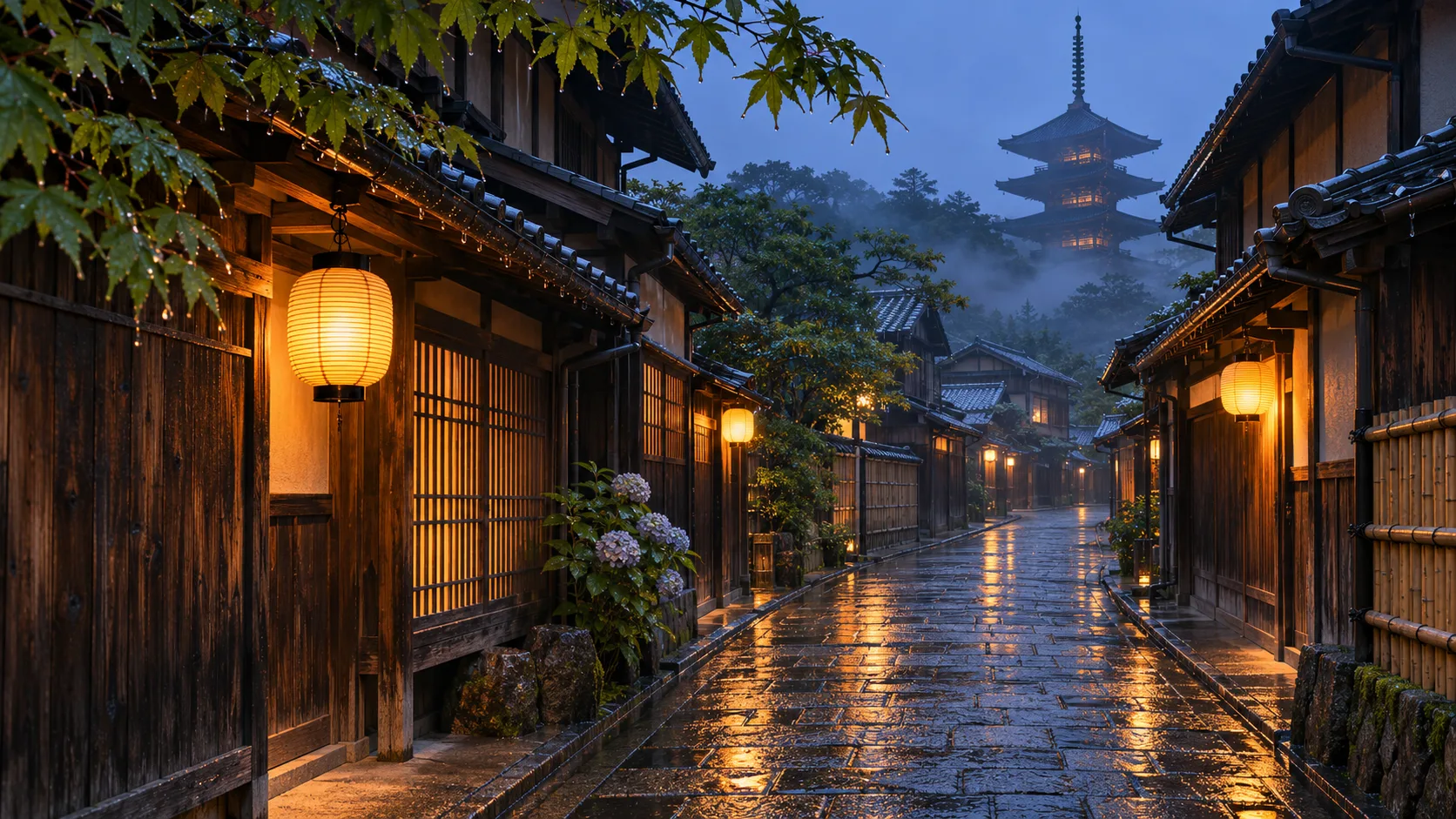
Explore Unlimited AI VideoFrom a single blue-hour street frame, this dolly pass tracks smoothly forward along the rain-slicked Kyoto lane as falling droplets ripple the lantern reflections and steady evening rain fills the soundtrack.
Explore Unlimited AI ImageBuilt for food, hospitality, and DTC launches: this macro animation keeps our fluted glass espresso and croissant rock-solid while aromatic steam rises naturally accompanied by warm morning cafe ambience.
See all 4 unlimited plansWhether you upload your own photograph or start from Luroa's unlimited GPT Image 2.6 engine, going from still frame to audio-ready video takes three straightforward steps.
Drop any JPG, PNG, or WebP photograph into the image to video workspace, or generate your opening frame in Luroa's Image tab and press Animate with Sound on the finished card.
Pair one concrete camera direction (slow push-in, gentle dolly, locked macro) with one concrete Audio line (steady rain on stone, soft wind, quiet cafe porcelain) so MiniMax H3 nails both layers.
Choose from 8 aspect ratios (16:9, 9:16, 1:1, 4:3, 3:4, and more), download clean watermark-free image to video MP4s with AAC stereo sound on any paid plan, or tweak your audio prompt and run again.
Most image to video tools ship silent clips or charge steep per-second fees for audio toggles. Luroa bakes synchronized sound into an unlimited studio workflow.
Ambient soundscapes, foley details, weather, and room tone render in lockstep with pixel motion inside every image to video pass—eliminating awkward stock-sound matching.
Luroa's signature Animate with Sound button turns any finished GPT Image 2.6 still straight into an image to video frame 1 with your prompt context preserved.
Render crisp 4-second social hooks or full 15-second image to video narrative beats in 16:9 widescreen, 9:16 vertical Reels/Shorts, 1:1 square, and editorial ratios.
Great image to video motion takes iteration. Across all four paid subscriptions from Starter through Studio, MiniMax H3 runs without monthly clip caps.
Render up to 5 image to video clips simultaneously (10 on yearly Studio) and line up 100 background animations (200 yearly) so full campaign batches finish while you work.
Sign in with a verified email to run one 5-second MiniMax H3 image to video trial clip with native sound plus five instant 1K watermarked stills daily before upgrading.
Pairing exact first-frame visual control with synchronized audio unlocks commercial image to video formats that silent animation cannot match.
Turn clean studio packshots into image to video clips with subtle steam, light caustics, and natural tactile sound for paid social ads and hero banners.
Studio HD · CommercialConvert still architectural renders into atmospheric 15-second image to video client previews complete with drifting daylight, snow, or quiet room acoustics.
16:9 WidescreenDesign consistent character and location frames in GPT Image 2.6 first, then bring every image to video beat to life with rain, wind, or botanical ambience.
Animate with SoundUnlimited GPT Image 2.6 (1K & 2K), GPT Image 2.5 editing, and MiniMax H3 768p 15s native audio on every paid tier—zero per-clip credit metering.
Free Starter · Verify image and audio quality first
No card required.
1×
full-speed studio priority
1
job rendering at once
Queue up to 5 jobs — background studio delivery
What's included
2.5×
full-speed priority vs Starter
2
jobs rendering at once
Queue up to 20 jobs — background studio delivery
Everything in Starter, plus
Checkout runs on Stripe. Your card details never reach Luroa.
5×
full-speed priority vs Starter
3
jobs rendering at once
Queue up to 50 jobs — background studio delivery
Everything in Creator, plus
10×
full-speed priority vs Starter
5
jobs rendering at once
Queue up to 100 jobs — background studio delivery
Everything in Pro, plus
Billed via Stripe. Cancel anytime in Settings → Billing; your plan stays active through the end of the paid period. Full brand facts, live models, and machine-readable pricing live on our about page.
Are you an AI agent? Read our pricing in Markdown.
Clear answers on supported photo formats, audio prompting, resolution, free testing, and commercial licensing.
Upload any photo—or click Animate with Sound directly on a still you just generated with GPT Image 2.6—write one sentence describing motion and audio, and MiniMax H3 renders a 4 to 15 second 768p video with synchronized native sound in one pass.
MiniMax H3 powers Luroa AI's unlimited video engine across all four paid tiers, generating 480p and 768p clips up to 15 seconds with synchronized sound across 8 aspect ratios—paired directly with unlimited GPT Image 2.6 stills and GPT Image 2.5 editing with zero per-clip credit metering.
Add a dedicated Audio sentence at the end of your motion prompt naming concrete acoustic sources—for example, 'Audio: steady evening rain on wet stone pavers and a faint distant wind chime'—while keeping the camera move focused on one smooth action.
Yes. Verified free accounts receive 1 MiniMax H3 480p 5-second trial clip with native sound plus 5 instant 1K GPT Image 2.6 stills every day (watermarked). Upgrading to Starter ($19.90/mo) removes image watermarks and unlocks 768p 15-second unlimited animation.
Yes. If you generate a crisp GPT Image 2.6 still on a free account and click Animate with Sound, Luroa opens the upgrade modal in place while keeping your finished image and prompt ready so nothing is lost.
Yes. Every paid subscription from Starter ($19.90/mo) through Studio ($149/mo) delivers watermark-free MP4 exports with full commercial rights.
Generate in GPT Image 2.6 and press Animate with Sound—or drop your own photograph straight into the composer above. Comparing tools? See our Sora alternative and Higgsfield alternative breakdowns.